

Key Takeaways
What Flight Price Alerts Actually Track - and What They Don't
Price alerts are snapshot tools. They compare a fare at one point in time against a fare at a later point and notify you when the difference crosses a threshold. What they track well: scheduled fare changes on indexed routes, including broad competitive adjustments between carriers on the same corridor.
What they routinely miss:
- Flash or limited-seat sales - fares that appear for only a few hours may expire before an alert engine's next crawl cycle
- Award and redemption availability - points-based pricing is almost never tracked by standard fare alert tools
- Fare class distinctions - a price drop may reflect availability moving from one fare bucket to another, changing change-fee and refund rules even if the dollar amount looks the same
- Carrier-direct exclusive fares - some airlines publish fares only on their own site, outside aggregator data feeds
- Ancillary cost shifts - if a carrier raises a bag fee while lowering the base fare, an alert shows a "drop" that may be illusory for your actual itinerary
Understanding these blind spots is what separates travelers who use alerts strategically from those who are simply reactive to notifications. For a broader view of how timing affects fare decisions, see why booking early isn't always the best price strategy.
Alerts Can Create False Urgency
A notification that says "price dropped $40" feels actionable, but a $40 drop on a $600 fare may still leave you above the historical median for that route. Cross-check any alert against the route's typical price range before deciding to act. Booking in haste because an alert fired is one of the most common ways travelers overpay relative to what patience would have delivered.
How to Use Price Alerts Without Being Misled
The steps below walk you through building a reliable alert workflow - one that filters signal from noise and keeps your booking decision grounded in your own criteria rather than the tool's triggers.
What you will need
Airfare price tracking tool (e.g., Google Flights, Hopper, Kayak)
Monitors fare changes on your route and sends notifications when prices shift.
Price history view or fare calendar
Establishes a baseline so you know whether an alerted price is genuinely low or just lower than yesterday.
Airline's own website
Used to verify the alerted price directly and check whether the fare is available before committing.
Incognito or private browser window
Reduces the risk that cookie-based dynamic pricing inflates the fare you see when you click through to book.
Establish a price baseline before setting any alert
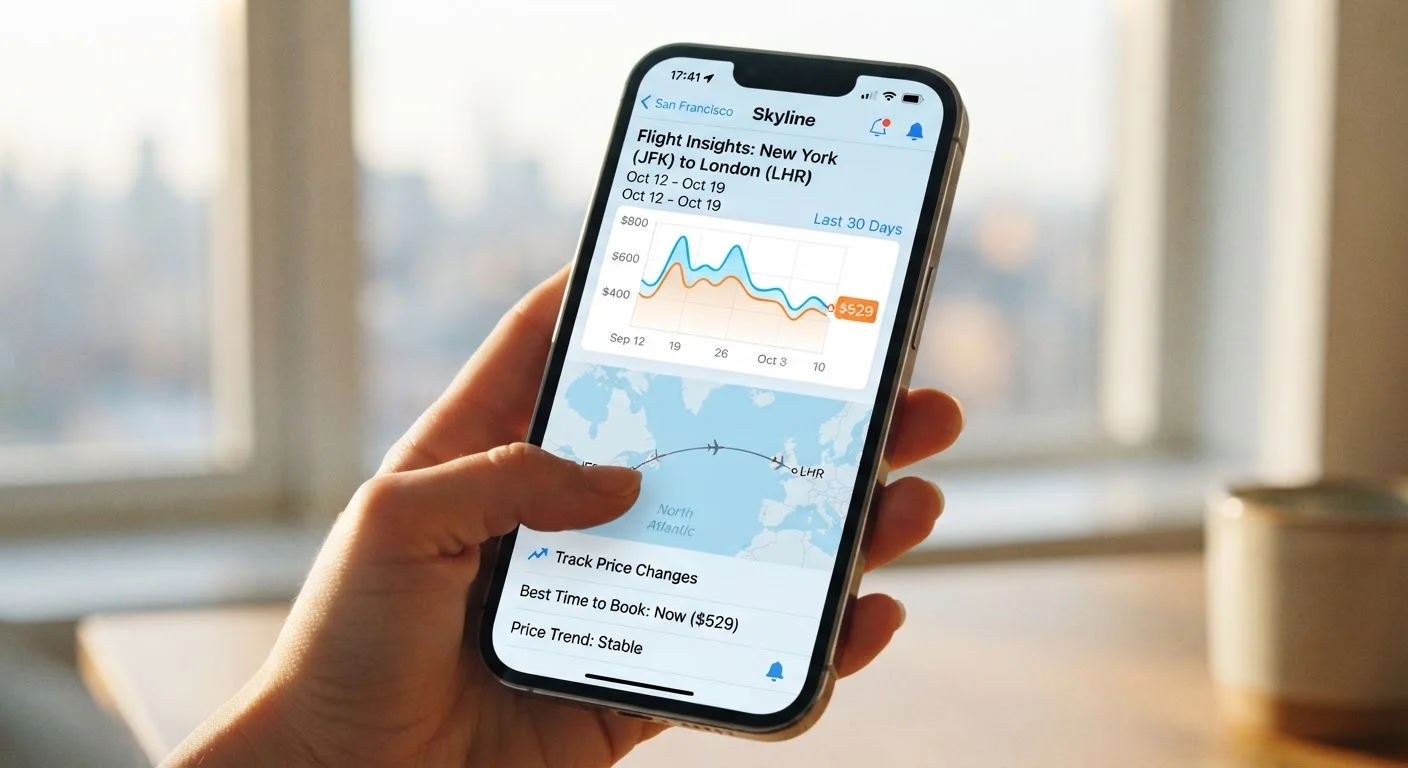
Open a fare calendar or flexible-date view for your route and note the price range over the past few weeks. Most tracking tools display a price history graph - use it. You're looking for the realistic low, typical midpoint, and current price. Without this baseline, any alert you receive is contextually meaningless: you won't know if a "drop" is a genuine deal or just a return to normal after a temporary spike.
Define your personal price target
Decide the specific fare - for the cabin, number of passengers, and baggage allowance you actually need - that would make you book without hesitation. This is your ceiling. Write it down before you create any alerts. A concrete number keeps you from rationalizing a mediocre fare just because a notification made it feel urgent.
Factor in what the fare includes. A $50 gap between two fares means less if one includes a checked bag and the other doesn't. Reading the fine print on non-refundable fares before you set your target helps you compare apples to apples.
Set up alerts on two or more tools simultaneously
No single tracking tool indexes every airline's inventory or updates at the same frequency. Relying on one alert means relying on one tool's data gaps. Set alerts for the same route on at least two services. This doesn't double your inbox noise significantly, but it meaningfully increases coverage - especially for fares that appear on one platform before others or that expire within hours.
Configure alert sensitivity to match your flexibility
Most tools let you choose between alerts for any price change versus alerts only when price drops below a threshold. If your dates are fixed, use a threshold alert set at or slightly above your personal price target. If your travel window is flexible, a broader "any significant drop" alert paired with a flexible-date search gives you more options to act on. Overly sensitive alerts - set to flag any $5 change - create noise that trains you to ignore notifications entirely.
Verify the alerted price directly before booking
When an alert fires, do not book through the notification link without checking. Open a private browser window, go directly to the airline's site or the tool's live search, and confirm the fare is still available at the stated price for your exact travel dates and passenger count. Cached fares in alert emails can lag live inventory by hours. This single step prevents the most common price-alert disappointment: arriving at checkout to find the price has already changed.
This is also the right moment to decide whether to book directly with the airline or through a third party - a choice that carries real trade-offs. See what each booking approach costs you before you commit.
Act or reset based on your pre-set target
If the verified price meets or beats your personal ceiling from Step 2, book. If it doesn't, don't revise your ceiling upward just because the notification created pressure. Instead, note the current price, update your baseline if the route's price environment has materially shifted, and let the alerts keep running. Price alert discipline means the tool informs your decision - it doesn't make it for you.
Set a Personal Price Ceiling First
Before creating any alert, decide the maximum you're genuinely willing to pay for the trip. Write it down. This anchor prevents you from rationalizing a mediocre fare simply because it's lower than yesterday's price. When an alert matches or beats your ceiling, that's the decision trigger - not the notification itself.
Alerted Prices Aren't Guaranteed Live Prices
A price alert fires based on a fare captured at a specific moment. By the time you click through, that fare may have sold out or reverted to a higher price. Always search fresh in a new browser session - never assume the alerted price is still available when you land on the booking page.
Once you've verified a live price and decided to book, your next decision is where to book it. That choice affects more than price - it affects the protections available if something goes wrong. Compare booking directly vs. through an OTA before you pay. And before any trip is confirmed, run through a pre-purchase savings checklist to catch anything you may have overlooked.